Private app-to-app voice calling with instant numbers on Android
Generates an in-app virtual number instantly and connects encrypted voice calls between users, creating a private voice channel without lengthy registration. Vedican Technology Private Limited built the Android utility to let people set up a secondary voice identity by entering a name, then call other users, manage contacts via QR codes, and record conversations. It suits users who need a private, app-only calling option rather than traditional phone reach.
What does VirtualNumber actually provide for private calling?
The app issues an instant virtual number after you enter a name, then routes voice traffic between app users over the internet. Calls are encrypted in transit and operate only between people running the app; the numbers cannot place calls to mobile or landline networks nor send or receive SMS or OTPs. Contact exchange works with QR codes and the call history logs incoming, outgoing, and missed sessions.
How does it behave on the device during use?
VirtualNumber requires an active internet connection, so call quality depends on network stability rather than cellular routing. The incoming call interface uses a full-screen mode that can appear even when the device is locked, and the app saves recorded calls locally with automatic notifications to all parties when recording is enabled. Home screen integration places dialer controls in the Android launcher space, which changes how you access calls and apps.
Is it safe to run and which users get the most value?
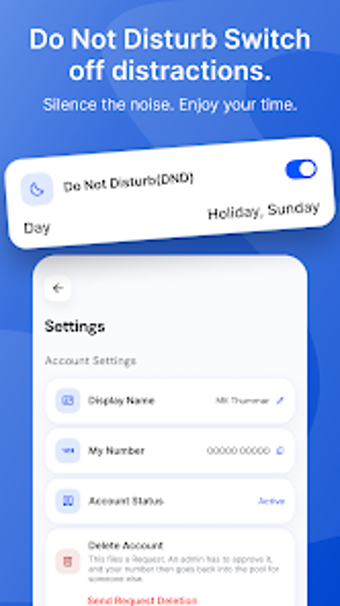
The app states a privacy-first stance and encrypts voice traffic, and it offers Do Not Disturb and blocking controls for call management. These characteristics make it appropriate for users who need a secondary, private identity for person-to-person voice contact without exposing personal phone numbers. People who need outbound calling to standard phone networks or SMS-based verification should not expect that capability from this tool.
Who should install VirtualNumber and how to use it sensibly
For anyone who wants an instant secondary voice identity limited to app-to-app conversations, VirtualNumber supplies a focused, low-friction experience aligned with privacy-conscious use. Choose a stable Wi-Fi or mobile-data window for important calls and treat recorded files as local traces on your device. Recommended.